What you can do with Salon Zukan: a free website, online booking and a member app, screen by screen
Start your salon's website and online booking just by picking your salon's name. This guide walks through everything you can do — the customer member app, the booking calendar, and staff and menu management.
In short
- Your salon's website and online booking are free to use for the basics. There is no fee per booking.
- Customers can check, change and cancel their own bookings in the CLT Members app (iPhone and Android) and on the members' web page.
- Bookings, staff hours and menus are all managed from your salon's admin screen. Add-ons such as a card on file for bookings (cancellation fees), punch cards and gift cards can be added for a monthly fee, only if you need them.
See the screens: what Salon Zukan can do →
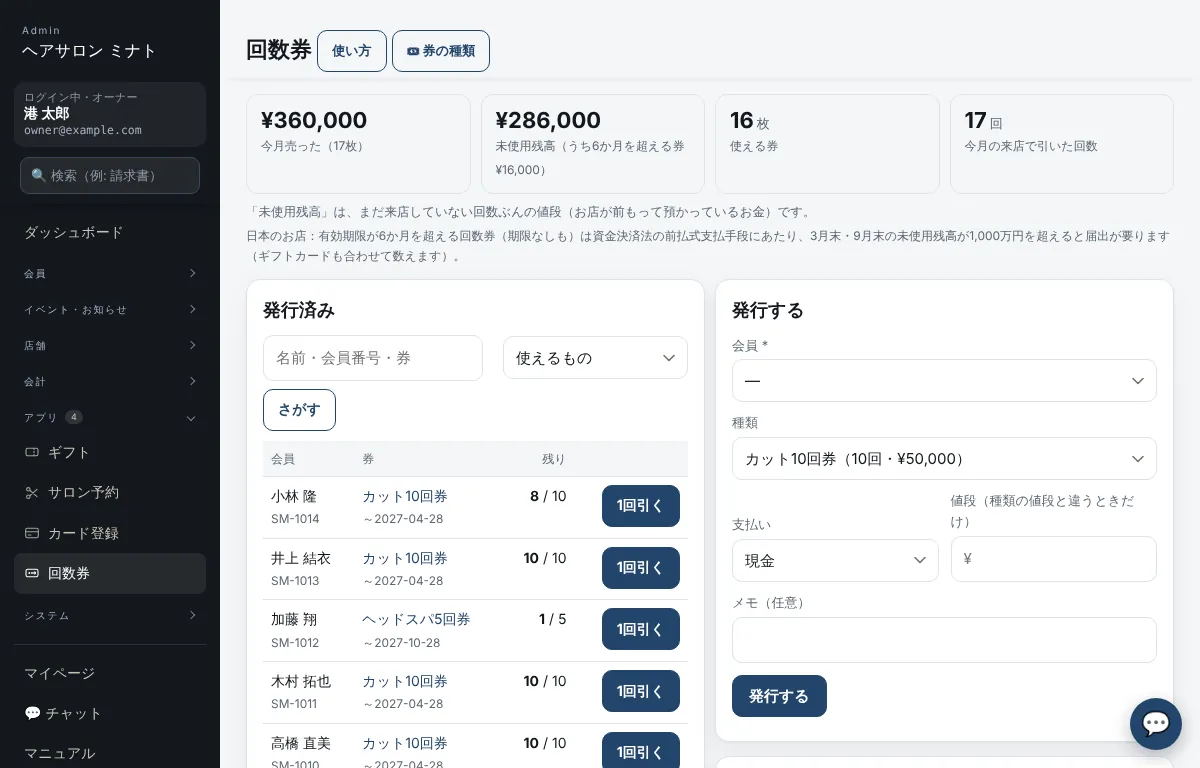
We walk through each feature using the real screens of a sample salon (Hair Salon Minato). The screenshots are from the Japanese version.
Your salon's website
If your salon is already listed on Salon Zukan, just pick its name and your website starts with your address and opening hours already filled in. Photos (the top image, about us, menu and a gallery), your menu and prices, staff photos and introductions, opening hours and a map all come together on one page that is easy to read on a phone. A "Book" button is always on screen.
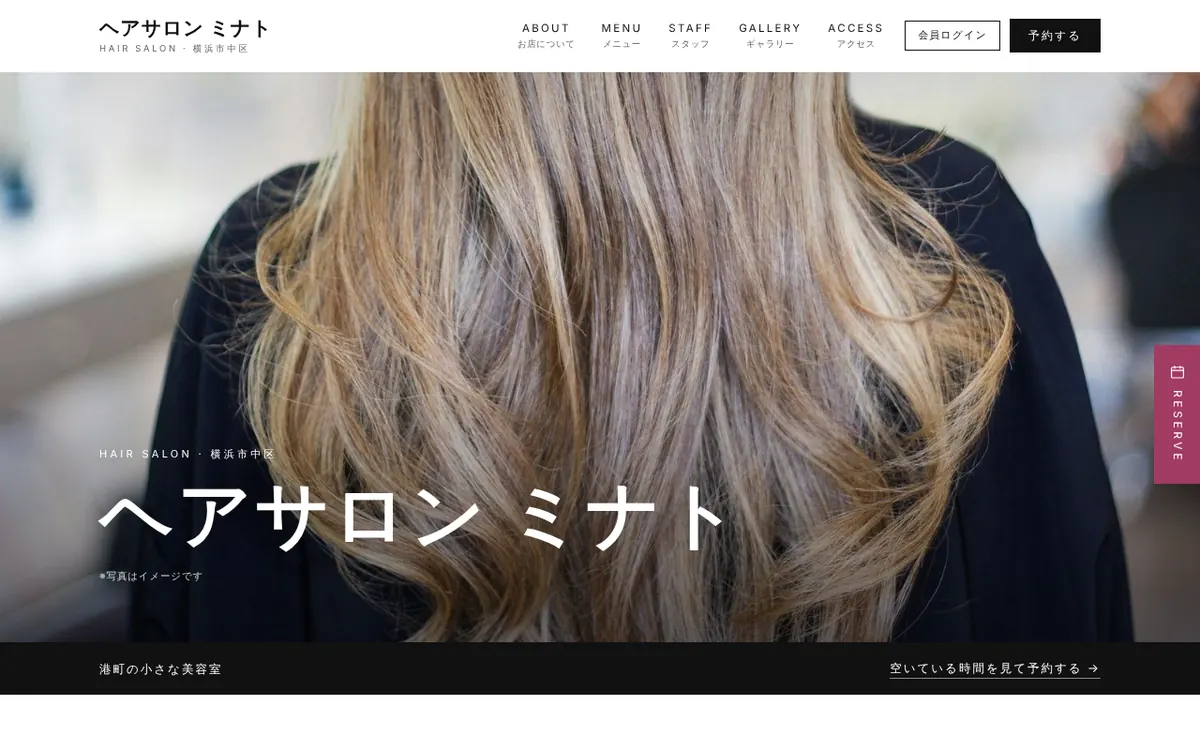
The address looks like "your-salon.salon-zukan.com", and your listing on Salon Zukan links to it. You can also show it on a domain you own, such as www.your-salon.com (an add-on). A contact form is included, and you can reply to messages from your owner page.
Online booking
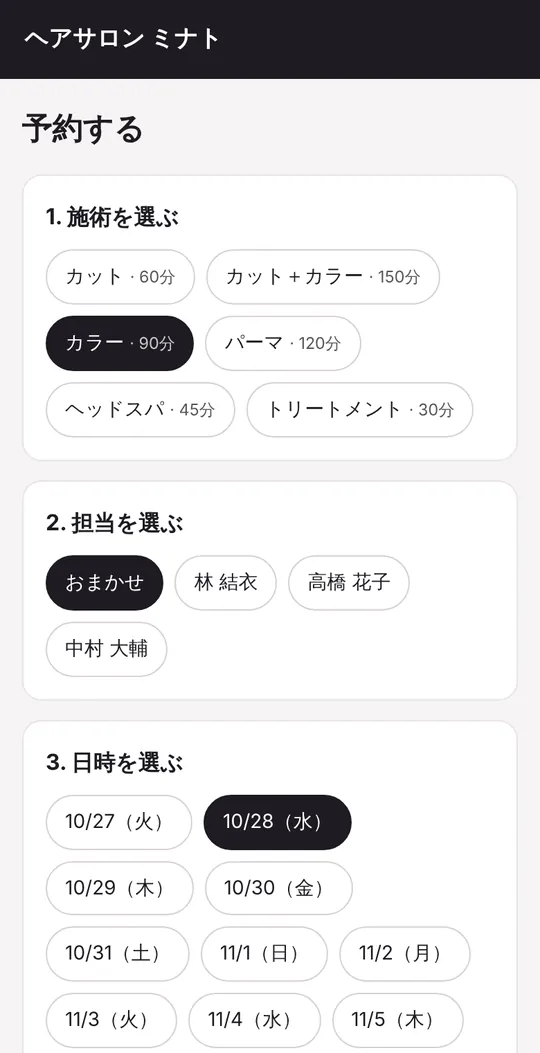
Customers just choose a service, a stylist (or "no preference") and a time. Only open times are shown, based on each staff member's hours and the length of each service, so bookings never overlap. When a booking comes in, the salon gets an email and the customer gets a confirmation.
The customer app and members' page
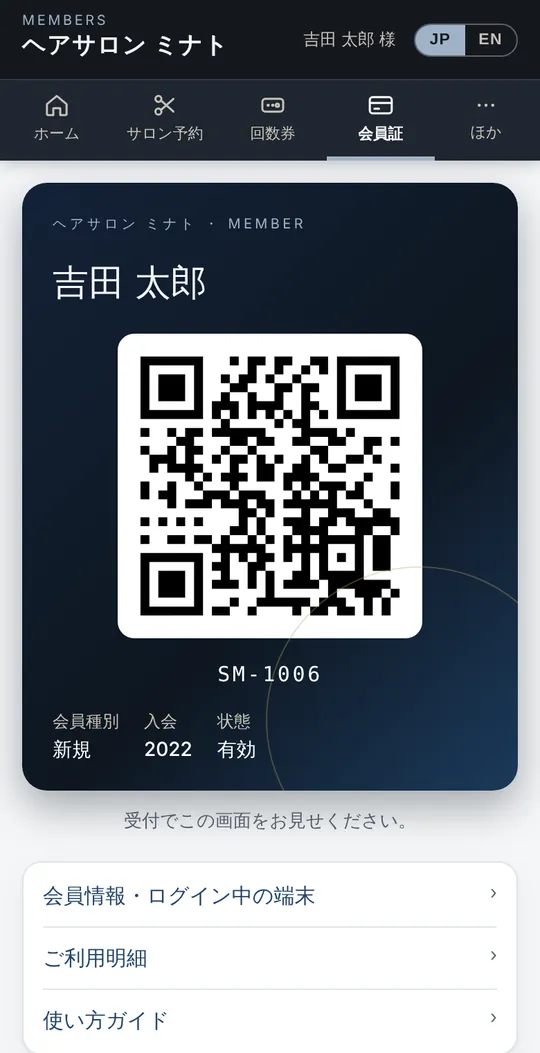
Customers can become members for free with just a name and an email address. In the CLT Members app and on the members' web page they can check, change and cancel their bookings (up to the deadline you set), and at the front desk they simply show their member card (a QR code). Booking confirmations, day-before reminders and news from your salon arrive as notifications. If you choose to, you can also chat with members.
Bookings, staff and menus
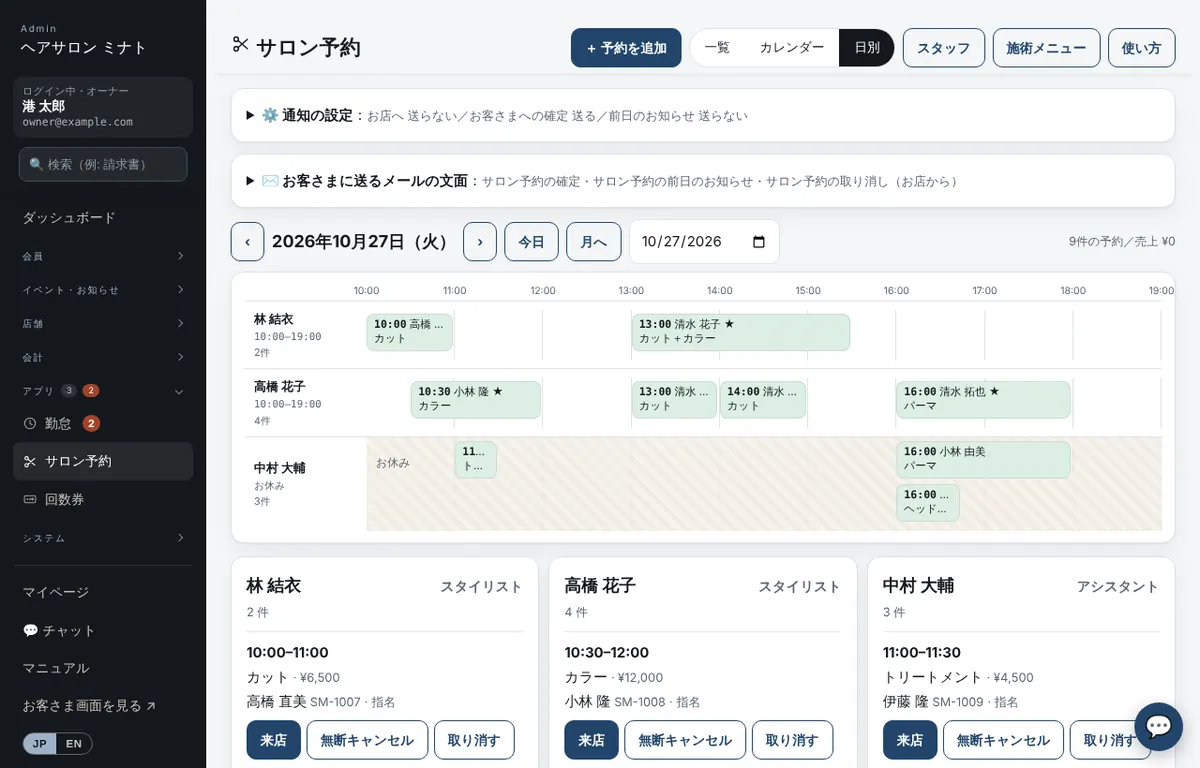
Bookings appear in a daily view by staff member and in a calendar. Adding a phone booking, or marking a visit, no-show or cancellation, takes one tap. Enter each staff member's hours and days off and who can perform each service, and open times are worked out automatically. Your menu and staff are shared between the website editor and the booking system, so you never enter them twice.
Add-ons (only what you need)
- Card on file & cancellation fees: keep the customer's card on file when they book, and charge a cancellation fee for same-day cancellations or no-shows at the rate you set (Stripe or Square).
- Punch cards: sell cards such as a 10-visit cut card, with the number of visits, price, validity and the services they cover. Issue them at the front desk, or let members buy them online by card. Customers pick the card when they book, and a visit is taken off automatically when you mark the booking done.
- Gift cards: gift cards that customers buy online and send by email, and prepaid balances spent by amount (e.g. pay $300, get $330). Sell them at the front desk too, and take payments from the balance at checkout.
- Time & attendance: staff clock-ins, shifts, and time-off requests and approvals.
- Custom domain: show your website on a domain you own.
Each add-on is $20 a month (¥2,980 for salons in Japan), with a 14-day free trial before you decide. Card on file, punch cards and gift cards come together in the Salon set for $29 a month ($60 one by one; ¥3,980 in Japan). You can stop any of them at any time.
Getting started
- Try it with your salon's name: enter the name and see your salon's page right away (no sign-up needed).
- Sign up with your email address from For salon owners.
- Add your photos and menu and verify that you run the salon — in Japan with your health center registration, in the U.S. with your state license — and your website and online booking go live.